Missing "NEW" in shell commands PA Explorer

-
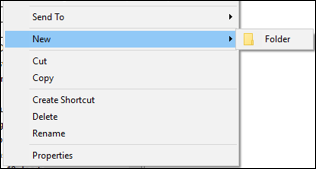
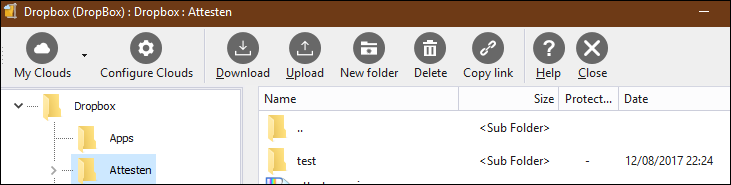
@pirrbe to complete this mystery : configuring clouds in PA (attachementcloud), no problems to create a new folder or sub. ??? (subfolder test created…)
-
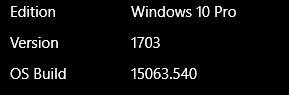
@pirrbe Ac is completely different.
can you post full picture of where you dont get new, so we see full PA window? maybe we will get the idea.
i noticed how in root of my pc and Libraries folders, you cant create new folder, but thats correct behaviour, works everywhere else on my x86 win10 tablet
-
@spwolf Indeed, if I point an empty space in PA explorer, I have identical shells as skypx and you. But the problem in PA explorer is when you point on an existing folder and want to create a sub-folder… there PA explorer shell misses the ‘NEW’ function.
Creation of a new folder through PA explorer : no problem
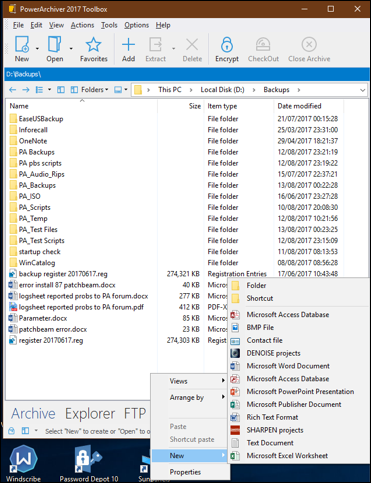
Creation of a subfolder through PA explorer : missing NEW
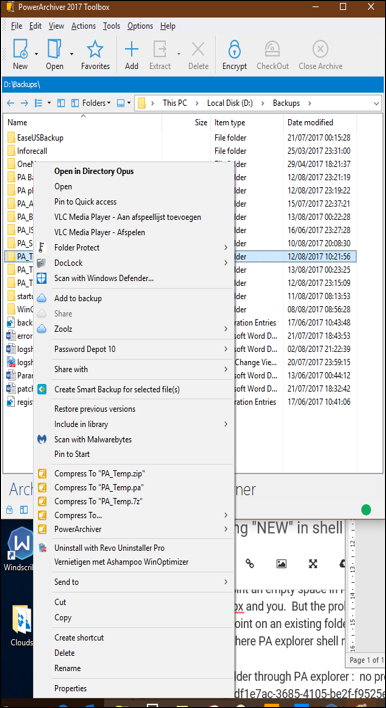
Maybe some confusion of my first post remark ‘folder/subfolder’… problem is only related to creation of subfolders trough PA explorer :-( -
@pirrbe I get exactly the same in Windows Explorer too… there is no New> in Windows Explorer either, at least on my own version of Win10.
-
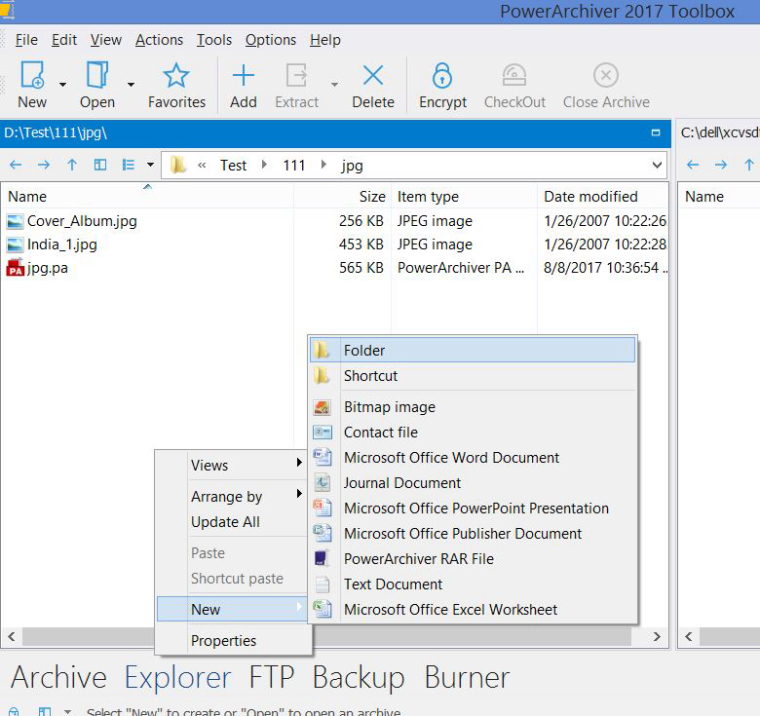
you can get the New Folder option when clicking on an empty space in explorer window. If your folder/subfolder is full of files, move all the way down to the bottom and click the empty space under the last file and the New Folder option will be available
-
@mili Hi Mili, it’s Monday say maybe you got a ‘hard late outdoor’ weekend and didn’t read well my above post with the two screenshots with BOLD titles
Creation of a new folder through PA explorer : no problem
Creation of a subfolder through PA explorer : missing NEWResume : in PA Explorer no problems to create a new folder through shell ‘NEW’ command, but select an existing folder and try then to create a new sub. IMPOSSIBLE : suddenly the NEW shell command is missing in PA Explorer !!!
-
in the screenshot I posted with the New Folder option available, isn’t it occurring in a subfolder, giving me an option to create another new folder/subfolder?
-
ps. weekends are for amateurs :)))
-
@mili :-))))) through PA explorer select any folder and try to create a subfolder… good luck. Or just create a new folder and then try to create a subfolder… good luck too… :-)
-
@pirrbe said in Missing "NEW" in shell commands PA Explorer:
@mili :-))))) through PA explorer select any folder and try to create a subfolder… good luck. Or just create a new folder and then try to create a subfolder… good luck too… :-)
what Mili is saying is that you can enter folder and click on empty space to get new option.
As I mentioned before, when I select folder in Windows Explorer, I do NOT get the New option either. Maybe some other software is adding New option for you?
-
@spwolf to avoid any misunderstanding : you mean that you cannot even create subfolders trhough Windows Explorer on your win10… ??? And Mili ? Or other co-workers ? I wonder what’s the situation of other users. I never experienced that problem, even after the recent latest upgrade of MS Win10. :-(. Other fact : an old bug is back concerning config setting fields. But is this now related to this mismatch stuff of win10<>PA or resurrection in PA after new release. I still report them ?
-
@pirrbe said in Missing "NEW" in shell commands PA Explorer:
@spwolf to avoid any misunderstanding : you mean that you cannot even create subfolders trhough Windows Explorer on your win10… ??? And Mili ? Or other co-workers ? I wonder what’s the situation of other users. I never experienced that problem, even after the recent latest upgrade of MS Win10. :-(. Other fact : an old bug is back concerning config setting fields. But is this now related to this mismatch stuff of win10<>PA or resurrection in PA after new release. I still report them ?
I can create them if I click on empty space and then new.
If I right click on folder, there is no New option in both Windows Explorer and PA. Thats on both of my Win10 computers. Maybe someone else can chime on their own setups.
-
-
@skypx ? Strange, but how did or do you create subfolders ? I only use shell commands for it :-)
-
Google or bing for “missing shell command new folder in win10”.
A lot of win users got this problem ! -
@pirrbe
I have always done it the long way. Just old school I guess. -
@skypx that’s even faster :-) and if you don’t use shell commands, you don’t even have to fix your registry :-)))))))))))))))))))